I designed an AI copywriter that cut campaign creation time in half.
MerlinAI is an AI-powered copywriting tool built inside MoEngage to help marketers create push notification campaigns faster. The problem was clear: it takes 4–6 days to publish a campaign, and marketers consistently get stuck at the content stage. I led the end-to-end design, from research and scope through launch, building a tool that reduced that time by ~2 days and lifted engagement rates by 21%.
“How can we minimise the time and effort taken by the marketer to create a campaign?”
— Universal question across Martech platforms
When I had a conversation with Nalin, our head of product, and looked at our analytics, I found three recurring problems:
- Campaigns take 4–6 days to publish
- Marketers get stuck at the content stage, leading to delays
- Marketing teams rely on AI tools like ChatGPT and A/B testing just to finalise copy
MoEngage is a cross-channel marketing platform, but push was the most used channel. When we looked at Pendo tickets and Mixpanel analysis from customers using push, our hypothesis was further validated.
I also went on calls with marketers from Tata Digital, Tira Beauty, Giva, Wynk Music, Tata Capital, Airtel, Blibli, Adda247, Park+, Amazon mini_tv, Alfagift, and Soundcloud, and confirmed four key findings.
I analysed four tools (Braze and CleverTap as direct competitors, and Copy.ai, Grammarly, and OpenAI as indirect ones) across strength, weakness, opportunity, and threat.
- Braze places AI near message composers which feels intuitive, but the experience feels like ChatGPT in the same tab, and brand guidelines are hard to configure.
- CleverTap generates copy across emotional tones but content has to be created before the campaign, making the flow counterintuitive and not channel-specific.
- Copy.ai supports multiple AI models and can pull from diverse sources, but it's not a martech platform, so users have to switch tools.
- Grammarly excels at accessibility and placement but is primarily a proofreading tool, not a content creator.
- OpenAI is the most flexible but demands prompt engineering skills most marketers don't have, and it opens in another tab entirely.
The opportunity: build a contextually aware AI copywriter that uses workspace campaign history, respects channel-level character limits, and structures the prompting experience so users never have to think about prompt engineering.
To prioritise and define the scope we used the MoSCoW method:
- Must have: a new product inside MoEngage to create AI-powered content at the channel level
- Should have: intelligent keyword suggestions and brand/tone controls
- Could have: image generation and multimodal experiences via audio or reference images
- Won't have this phase: a chat-based prompt interface or third-party tool integrations
As push was the most used channel, we focused there first, with scalability in mind. AI-generated push messages would cover Subject, Title, Summary, and Body. Keyword suggestions would draw on the workspace's legacy campaign data, and marketers could tune voice and tone directly in the UI.
Designing for a probabilistic system.

In addition to what I already knew, I needed to understand how the feature was built (OpenAI GPT-3, with workspace campaign data fed into the prompt as context), what output accuracy to expect (60–70%), what workspace data was available and how reliable it was, and how outputs could degrade when prompts aren't well structured.
The most important edge case: if the AI doesn't generate good content, it must not block the marketer from creating their campaign. The entire flow had to be easy to exit at any point.
“While designing a probabilistic system where outputs change based on real-time user inputs, I had to predict surprises and design around them.”
The standard SaaS design process (James Garrett's 5-layer model) works well for deterministic systems. It doesn't capture the additional considerations needed for a probabilistic system like GenAI, which affect UX decisions downstream.
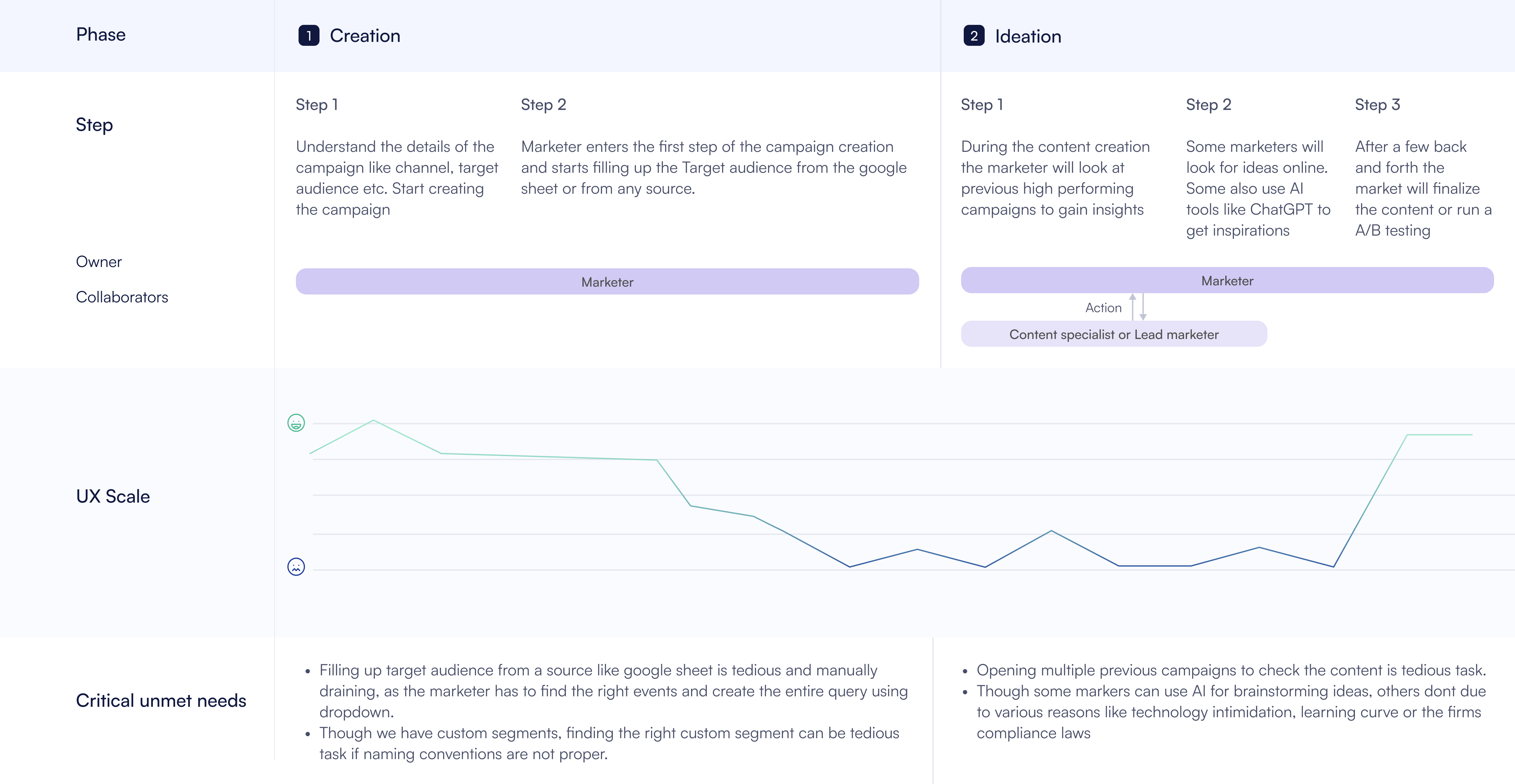
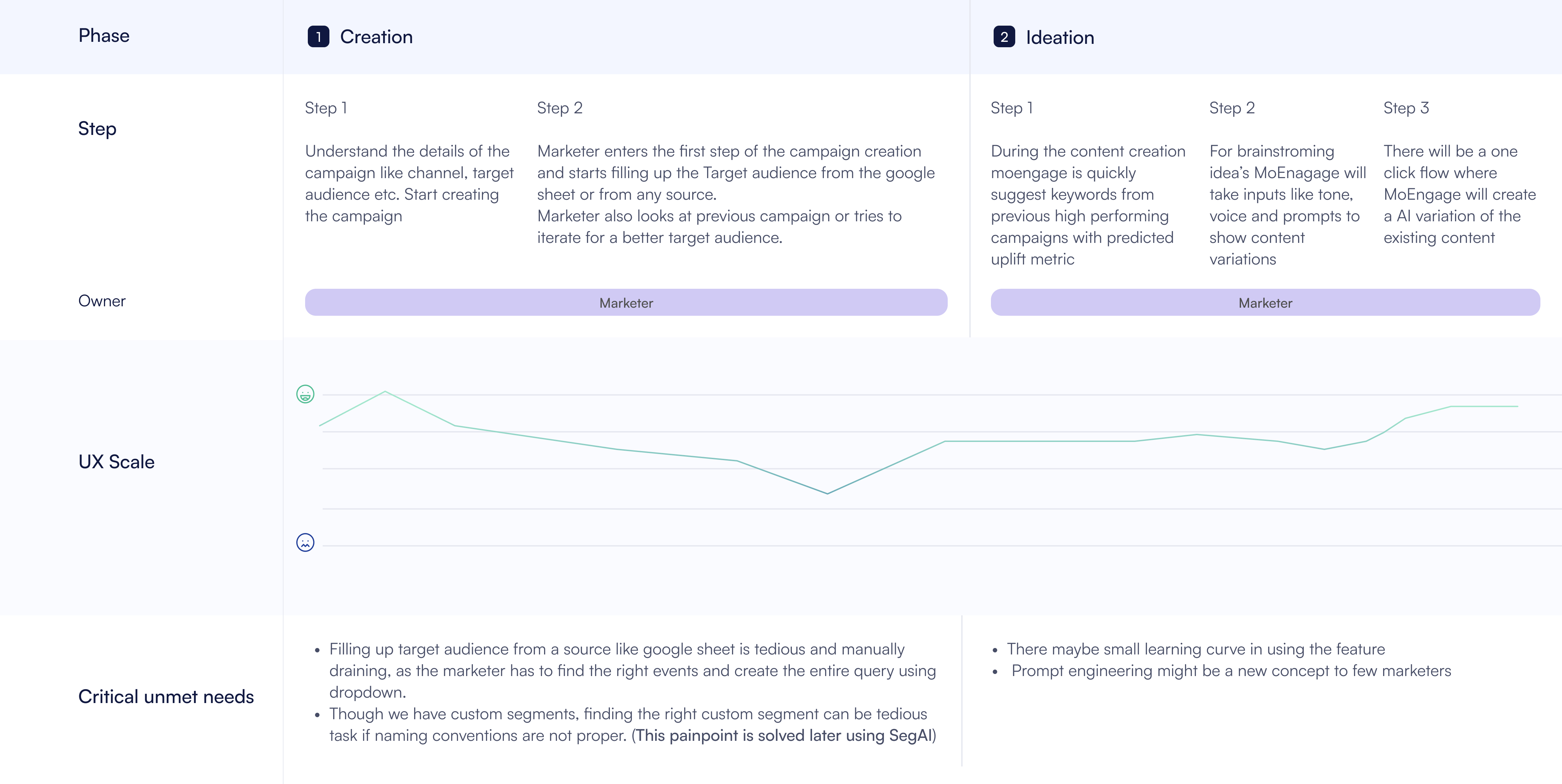
I mapped both the current journey and the expected journey, showing exactly where AI assistance would reduce friction across the Creation and Ideation phases of campaign building.
Current journey
Expected journey with MerlinAI
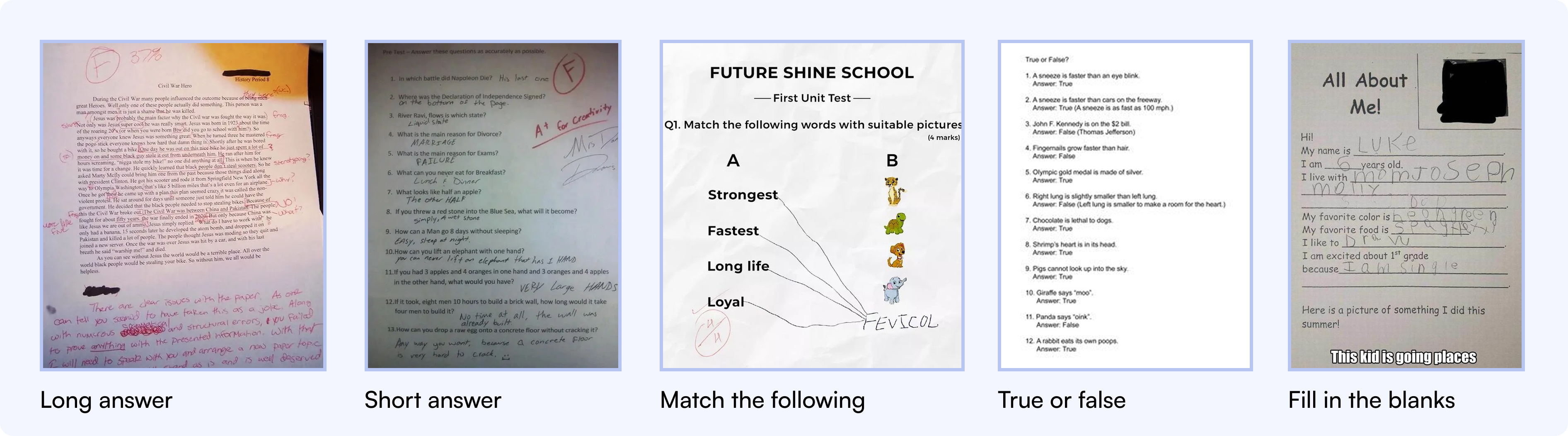
In school, fill-in-the-blank questions were always easier than long-answer questions: the structure is predefined, you just supply the keywords. Starting from a blank prompt is the hardest part of using AI. So I applied the same UX paradigm here: a UI that mimics fill-in-the-blank, where the blanks are dropdowns and input boxes rather than free text.
With this UX paradigm and user journey in mind, I created Lo-Fi designs of the hero screen. Below are 3 ideas I explored.
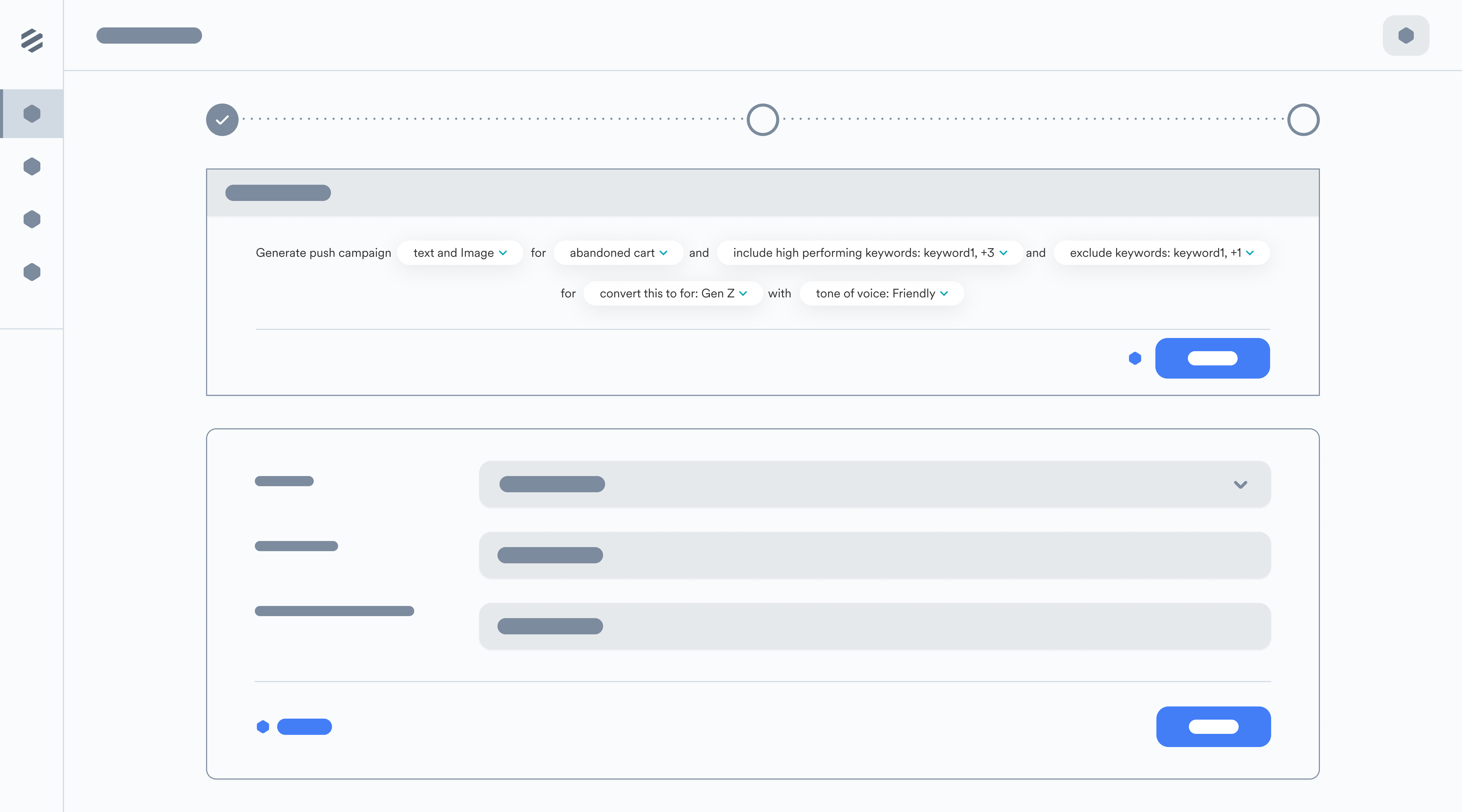
We settled on a modal slider pattern because it's non-intrusive but intuitive. The marketer can exit at any point by closing the modal if the AI output isn't good, preview content before pasting, and iterate easily. The pattern is also familiar from the segmentation module.
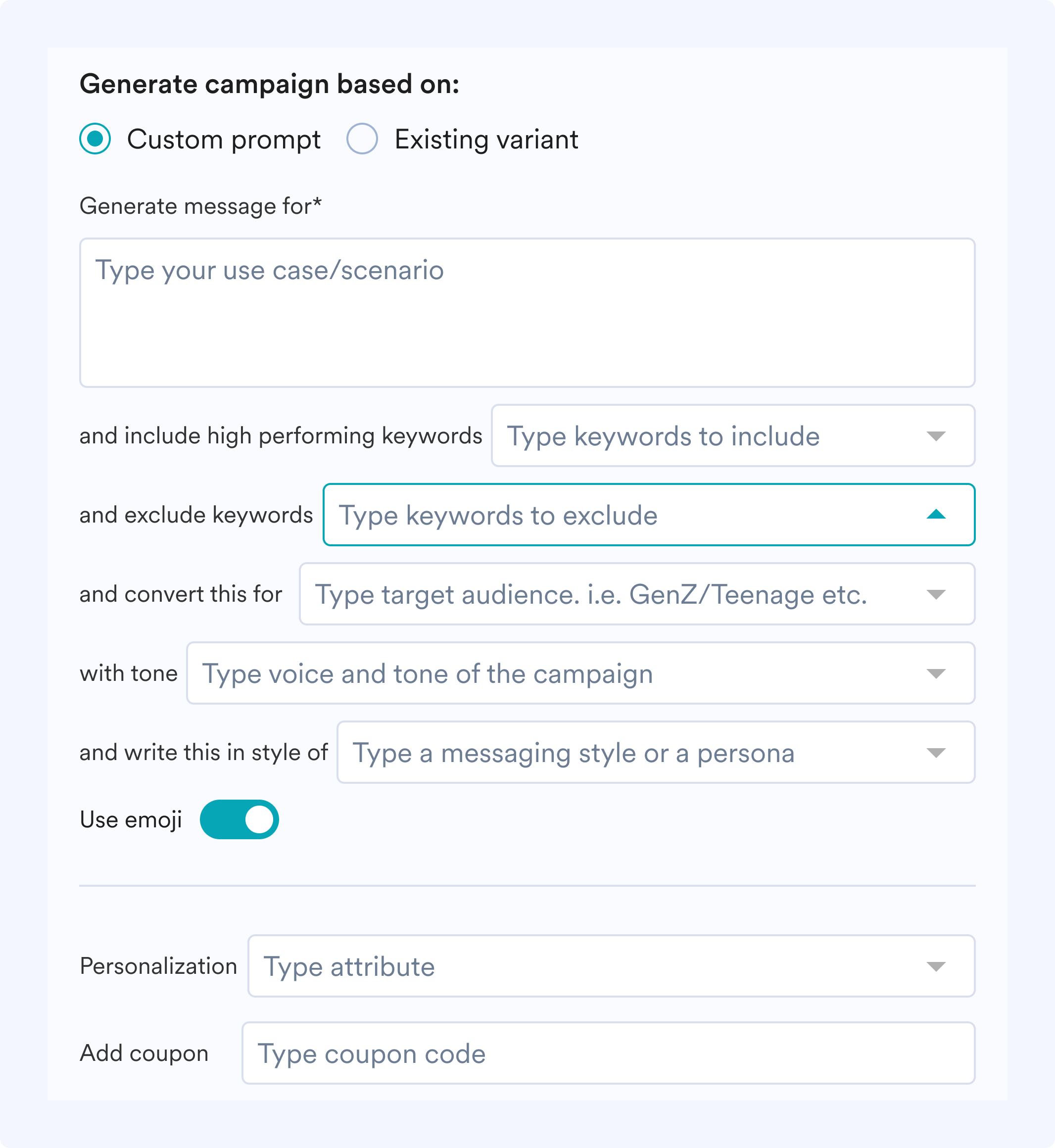
Many users don't know how to write effective AI prompts, and they shouldn't have to. A blank text box is overwhelming. Instead of forcing manual typing, I introduced Madlibs-style structured input fields: dropdowns to define output type, auto-suggestions for keywords based on previous campaign data, and toggles for emojis. Context-aware adjustments let users tweak specific parts rather than rewriting the entire prompt. Users don't have to struggle with the “right” way to phrase something. They just select what they need and MerlinAI does the rest.
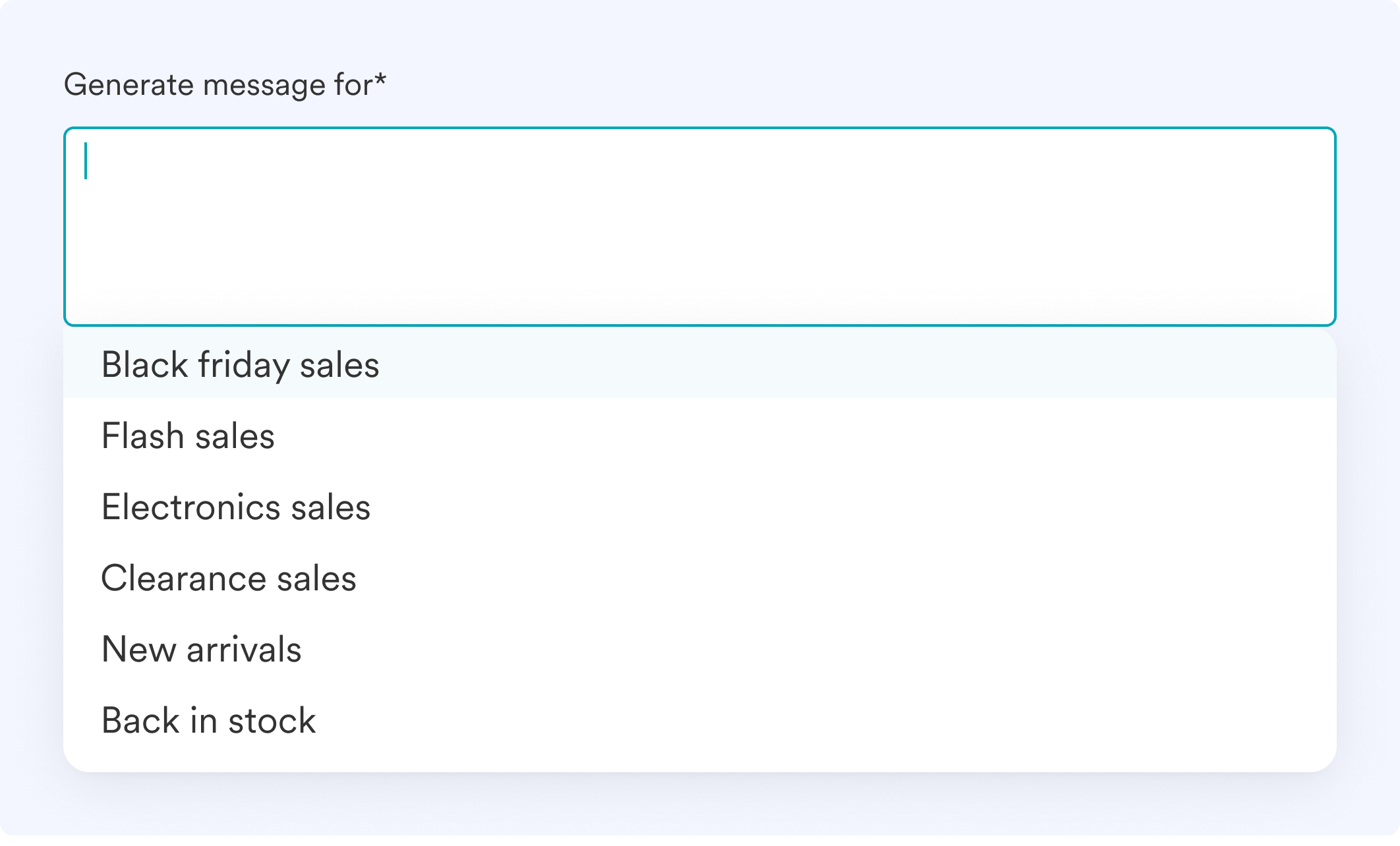
Instead of trial and error, MerlinAI provides predefined templates for common tasks (Black Friday sales, flash sale, clearance) and example prompts that adjust dynamically to the client's industry. By reducing guesswork, interactions are smoother and the generated output is more effective in fewer iterations.
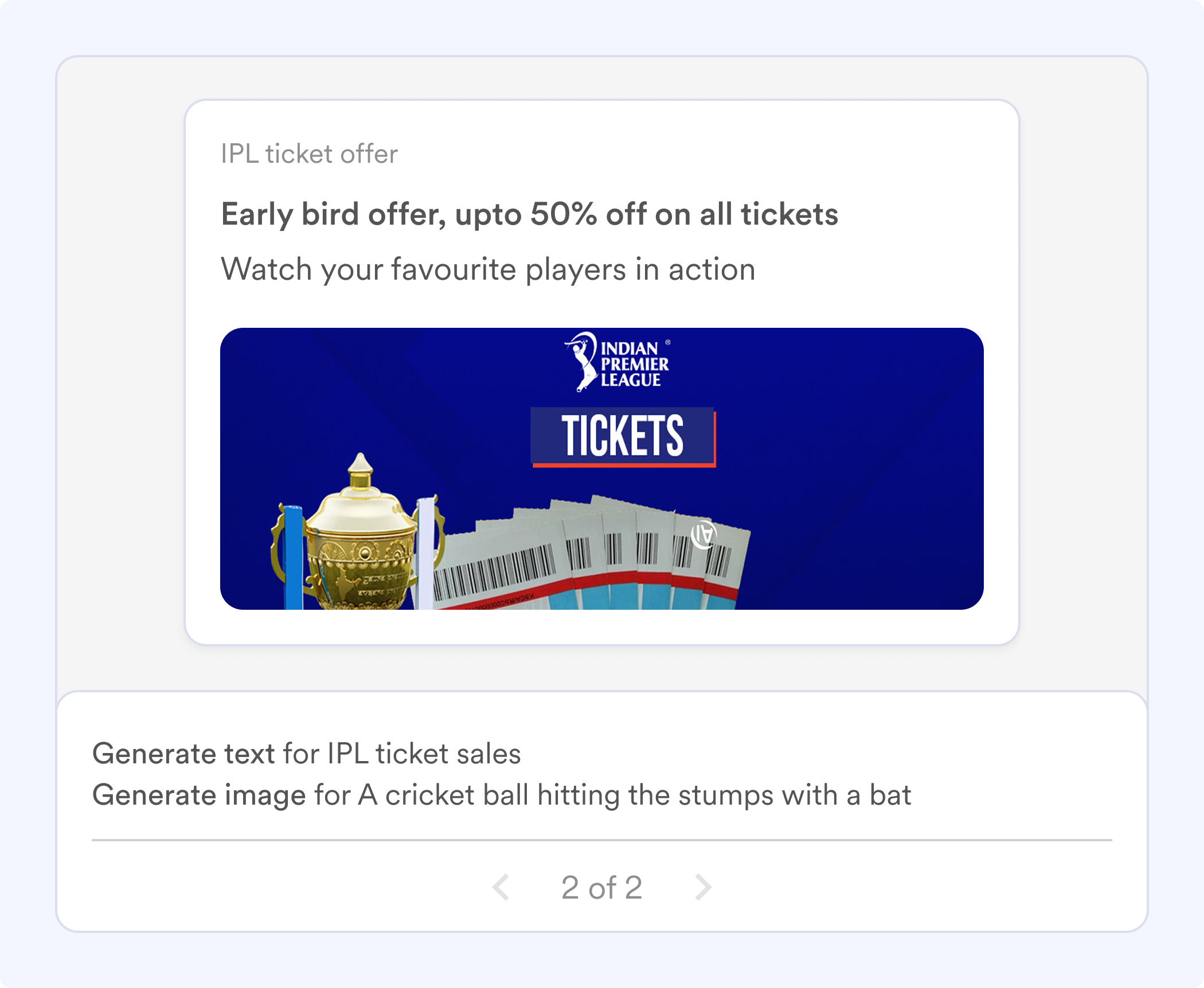
One of the biggest frustrations with AI tools is rewriting an entire prompt just to make a small change. MerlinAI is built ground-up for an iterative workflow: a preview with pagination so users can tune each variation, plus one-click regenerate with the same context for more suggestions. This makes MerlinAI a collaborative process, not a one-time shot.
For users who want to generate variations without reopening the full panel, quick controls surface directly in the campaign composer, with one button to create an AI variant, another to start fresh. Speed and accessibility, without friction.
Explore the full interactive design file, with every screen, state, and annotation.
The final product shipped inside MoEngage. Watch the full walkthrough of MerlinAI Copywriter in action.
Outcomes tracked across the first quarter post-launch. We set conservative targets, and beat all three.
Glance, a subsidiary of InMobi, saw 50% faster campaign go-live times and a 38% uplift in push notification CTRs after adopting MerlinAI. Read case study →
Telekom Romania, a Deutsche Telekom subsidiary, improved their prepaid activation campaign CTR by a staggering 65%. Read case study →
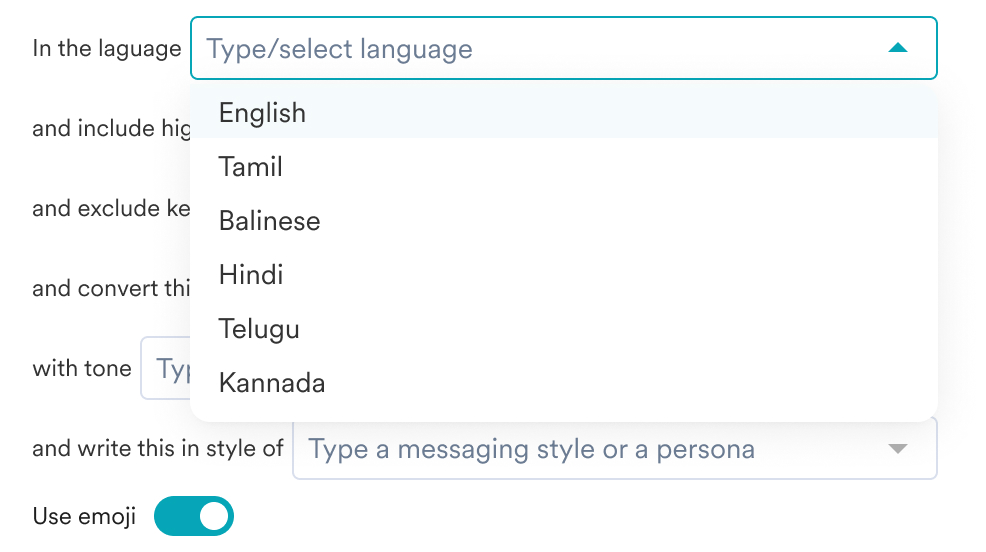
Though we were happy with the results, I noticed MerlinAI wasn't performing as well in a few demographics, especially in SEA regions. Calls with users revealed they needed content in their native language. We solved this by adding a language dropdown, letting marketers specify language alongside their prompt.
After the release of ChatGPT 4.0, we tested internally and found meaningfully better output quality, so we updated MerlinAI's underlying model to GPT 4.0.
Once we saw stable retention results, we expanded MerlinAI beyond push notifications to Email, WhatsApp, and other channels, making the feature scalable across the full MoEngage suite.
Looking at the advantages of leveraging AI in the campaign workflow, we are releasing more products that follow the same UX patterns. These new features may eventually be packaged and sold as MerlinAI Studio.
- MerlinAI Designer (Live): generates images based on prompts provided by the user. Released to a few customers as beta.
- MerlinAI for Segmentation (Live): input a sentence in natural language describing your segment and MerlinAI will automatically check the metadata of existing event attributes to create the exact segment.