Reimagining video editing so sales reps can create professional videos in minutes.
Hippo Video's primary users are sales reps who use video to pitch and close deals. The existing editor was complex and intimidating — the ROI wasn't worth the effort. I reimagined the editing experience from scratch: combining AI-generated transcripts with a word-processor interface to create the Script Editor, turning non-editors into confident video creators.
Sales reps aren't video editors — but the tool expected them to be.
Primary users of Hippo Video are sales and marketing teams using video to pitch and sell. But the existing editor was built for professionals. For non-editors, the learning curve was steep and the time investment didn't pay off.
Sales and marketing teams are not professional video editors
The editor interface was intimidating and difficult to use
Time spent on video editing ≠ ROI gained
The learning curve to make a professional-looking video was steep
The answer wasn't to patch the existing editor. It was to reimagine it entirely — a new interface where anyone can add graphic elements, trim mistakes, and produce polished videos, all through a self-explanatory flow that drastically reduces the learning curve.
Meet Candice — the person we designed for.
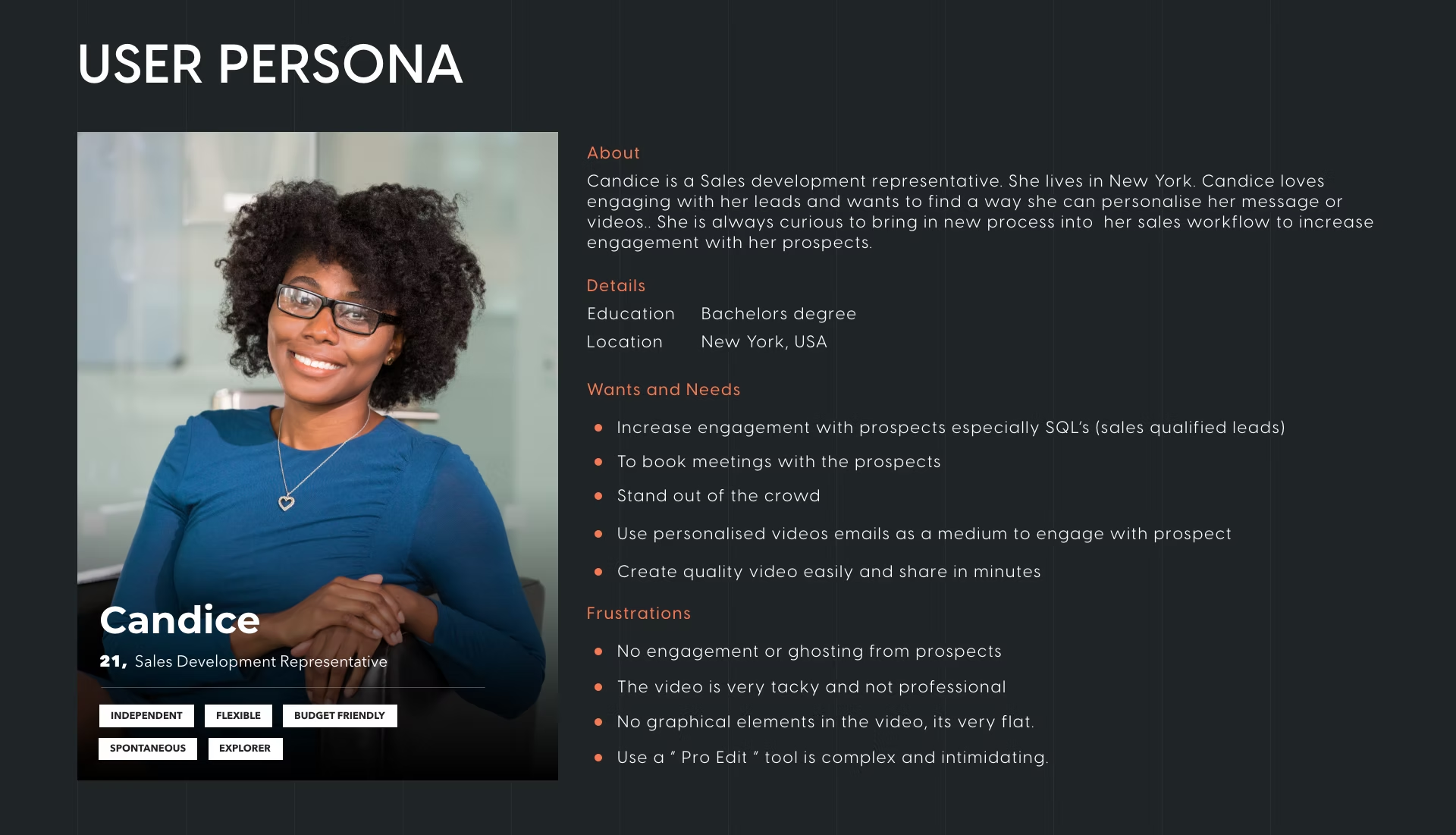
Candice is a Sales Development Representative based in New York. She wants to stand out in a crowded inbox, personalise her outreach with video, and book more meetings — but she doesn't have the time or skills to produce professional-looking content. Her core frustration: the existing tools are complex, the output looks tacky, and professional editing feels out of reach.
The question that changed our direction.
“How can Candice, with no video editing experience, create professional videos?”
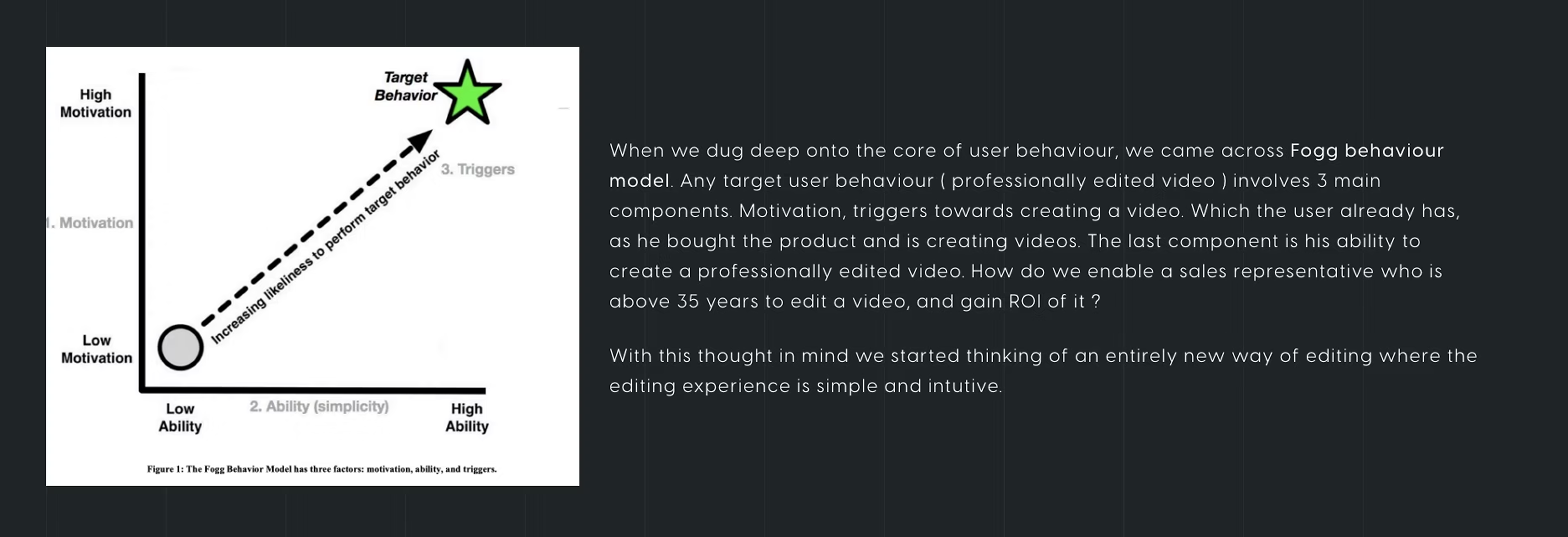
Quick fixes — adding guides to the editor, improving the existing UI — weren't going to solve the problem. We needed to reimagine a whole new editor. When we mapped user behaviour using the Fogg Behaviour Model, we found motivation and triggers were already in place. The missing piece was ability.
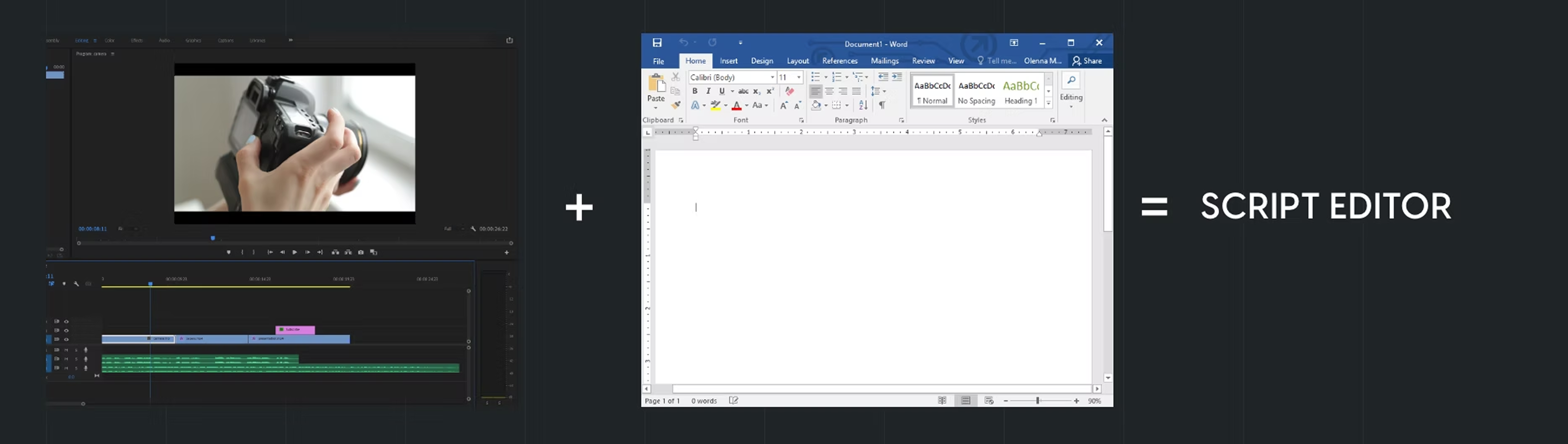
The eureka moment came from a simple observation: Candice is already an expert at making Word files look professional. What if she could edit her videos the same way? An AI-generated transcript turns the video into an editable document. Delete a word — that moment is trimmed. Tag a sentence — a title card appears.
Video editor + Word processor = Script Editor.
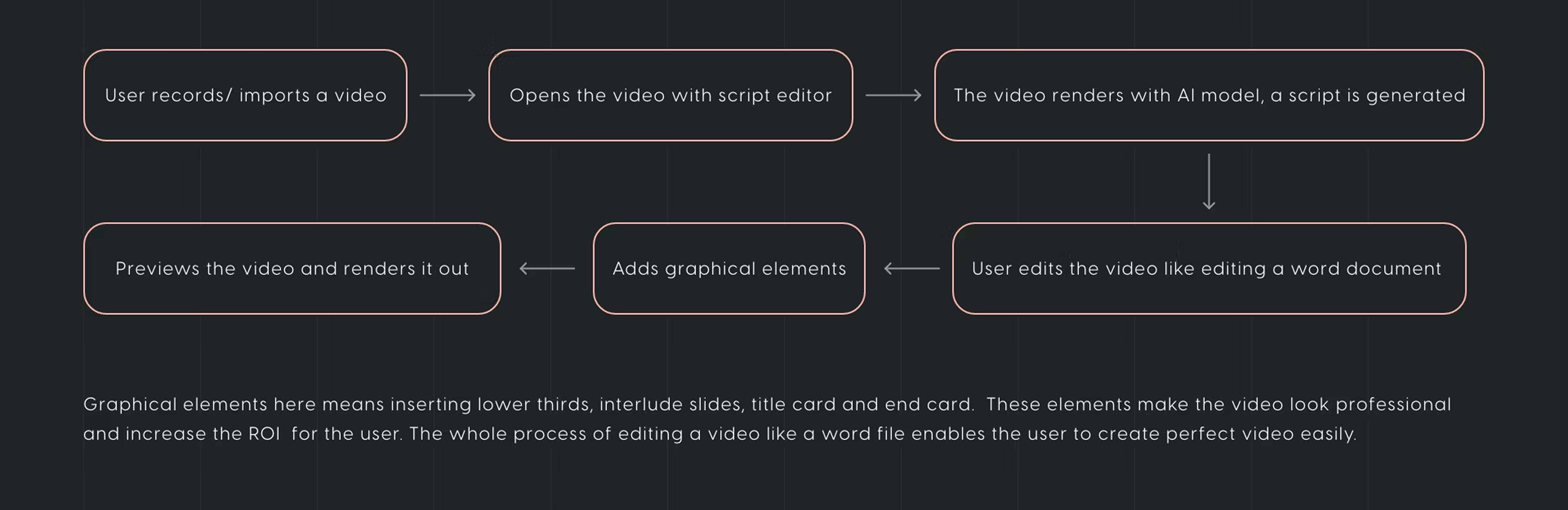
The Script Editor inserts graphical elements — lower thirds, interlude slides, title cards, and end cards — inline with the AI-generated transcript. Editing a video like a word file enables Candice to create a polished, professional video in minutes, with no prior editing experience.
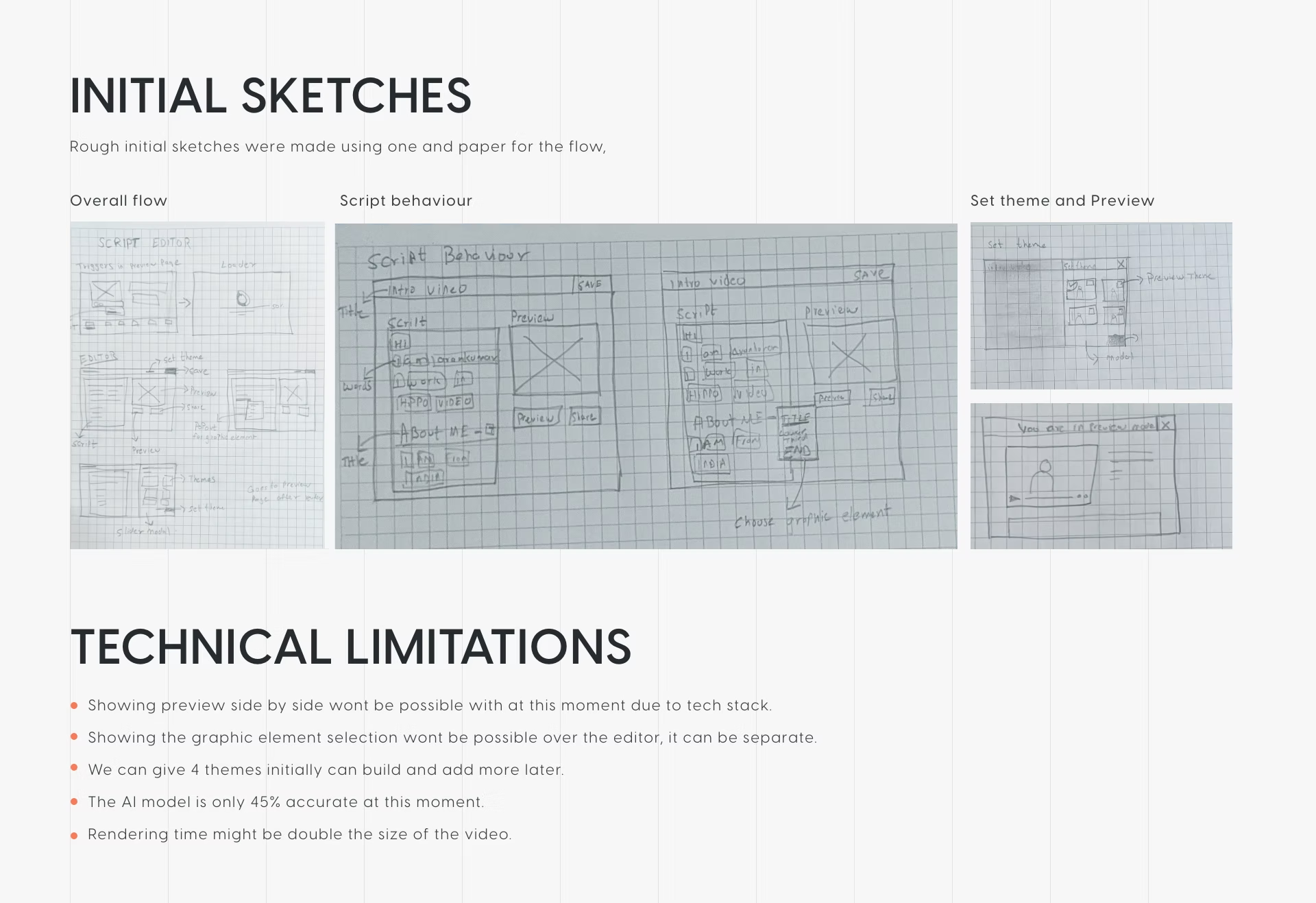
Early sketches covered three areas: overall flow, script behaviour, and theme selection and preview. Working closely with engineering upfront revealed constraints that shaped the design early — side-by-side preview wasn't feasible with the current tech stack, and the AI model was only 45% accurate at the time. These weren't blockers; they were inputs.
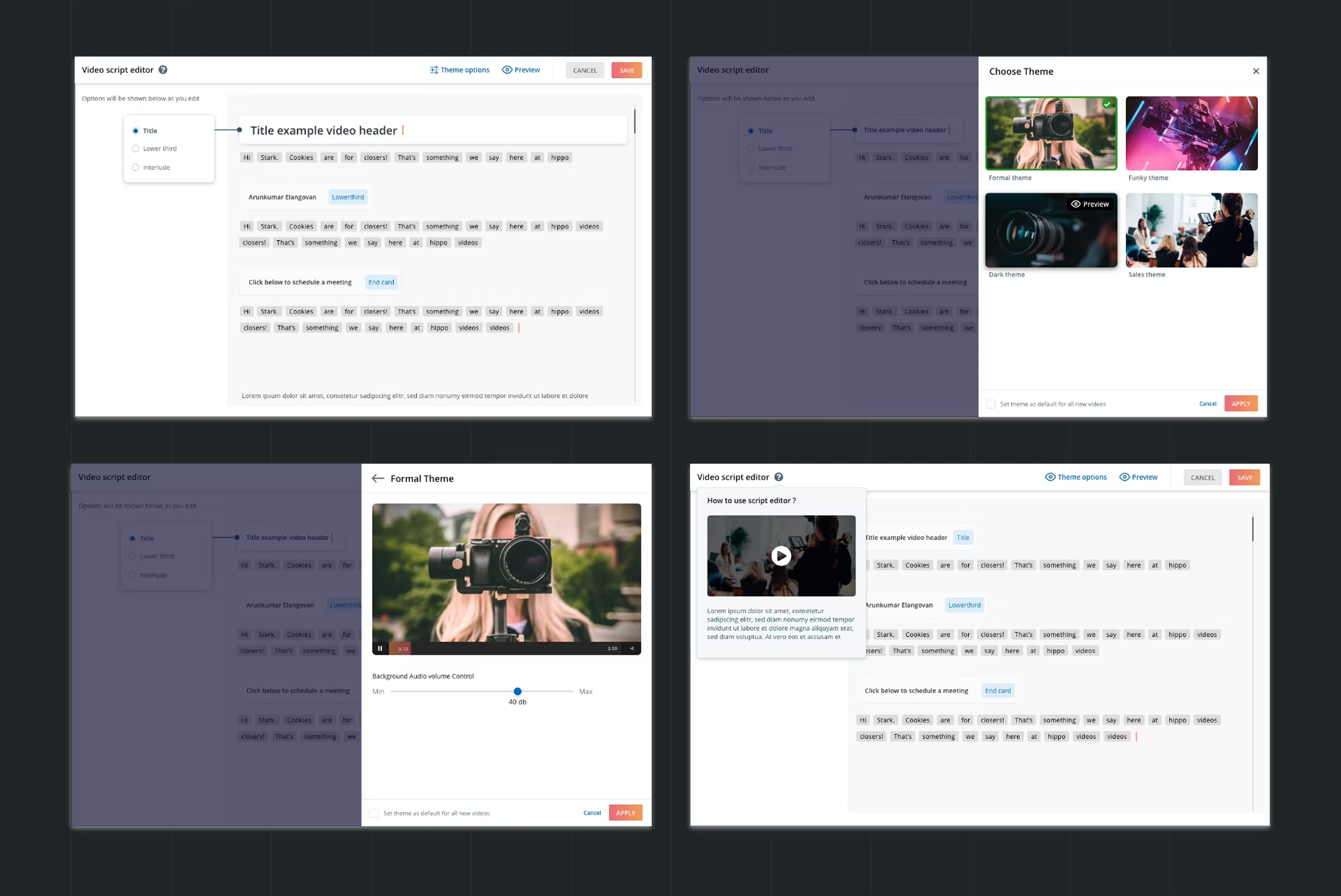
The script editor renders the AI transcript word by word. Clicking a word surfaces contextual options — mark it as a title card, lower third, or interlude. A theme picker offers four pre-built visual styles. An onboarding video inside the panel guides first-time users, cutting time-to-first-edit dramatically.
A working proof of concept, shipped in one month.
Rather than waiting for a fully polished product, we moved fast — built a working POC and got it in front of real users immediately.
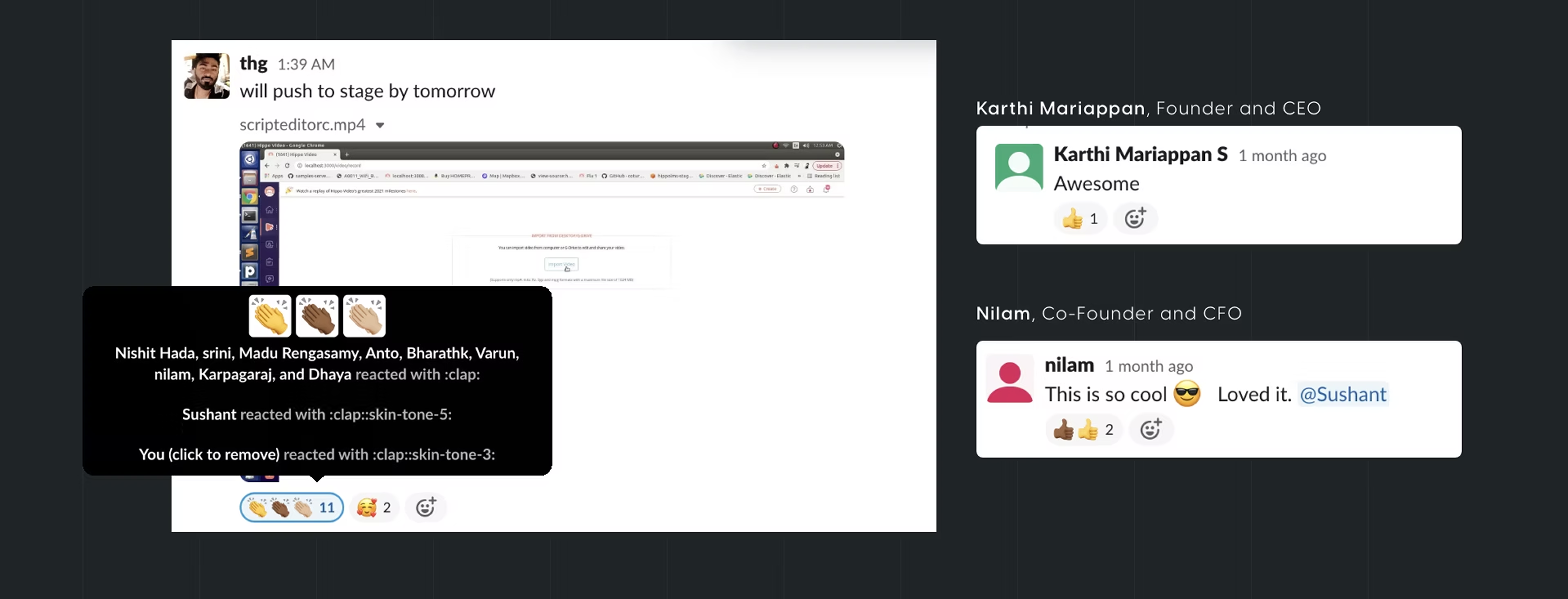
The POC was released to a small group of beta users, most notably British Airways and Atrium Hospitality. Both adopted it into their day-to-day sales workflows immediately. British Airways reported 30% more engagement in terms of watch rate and a 10% increase in CTA clicks.
The key takeaways: move fast and test early, don't be afraid to challenge the status quo, and work closely with engineers — empathy towards technical constraints makes for better design decisions.